
You can install a new WordPress theme without having any technical knowledge. It is so easy and automated.
1. Log in to the WordPress dashboard.
2. From the Dashboard menu, go to Appearance and click on Themes.
3. Click on Add New.
4. You can search for a theme using the search bar or browse the themes, choosing from Featured, Popular, and Latest.
5. Hover your mouse over the theme you like and choose Install.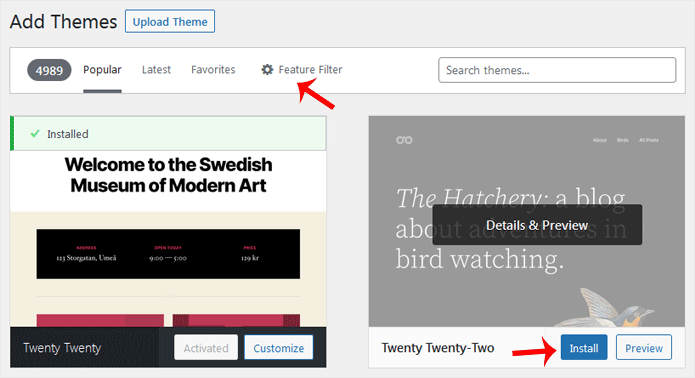
6. Click Activate on the newly installed theme.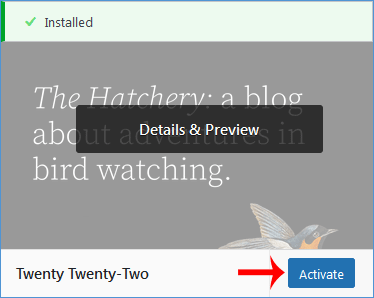
Congratulations, you have installed and activated a new theme on your blog.
- Home
-
Store
- Browse All
- -----
- License Reseller account
- cPanel WP Square License
- cPanel License
- Plesk Web HOST License
- Directadmin License
- Webuzo Licensing System
- AaPanel Licensing System
- CloudLinux License
- LiteSpeed License
- Virtualizor License
- KernelCare License
- Whmcs License
- DaReseller License
- WHM Reseller License
- JetBackup License
- Softaculous License
- Imunify360 License
- Sitepad License
- CPNginx Licensing System
- Lifetime Licenses
- Osm Licensing System
- CXS Licensing System
- Backuply Licensing System
- WhmXtra License
- Trial Licenses
- Register a New Domain
- Transfer Domains to Us
- Announcements
- Knowledgebase
- Network Status
- Affiliates
- Contact Us
-
More